 editgit
A fast git client, written in Odin.
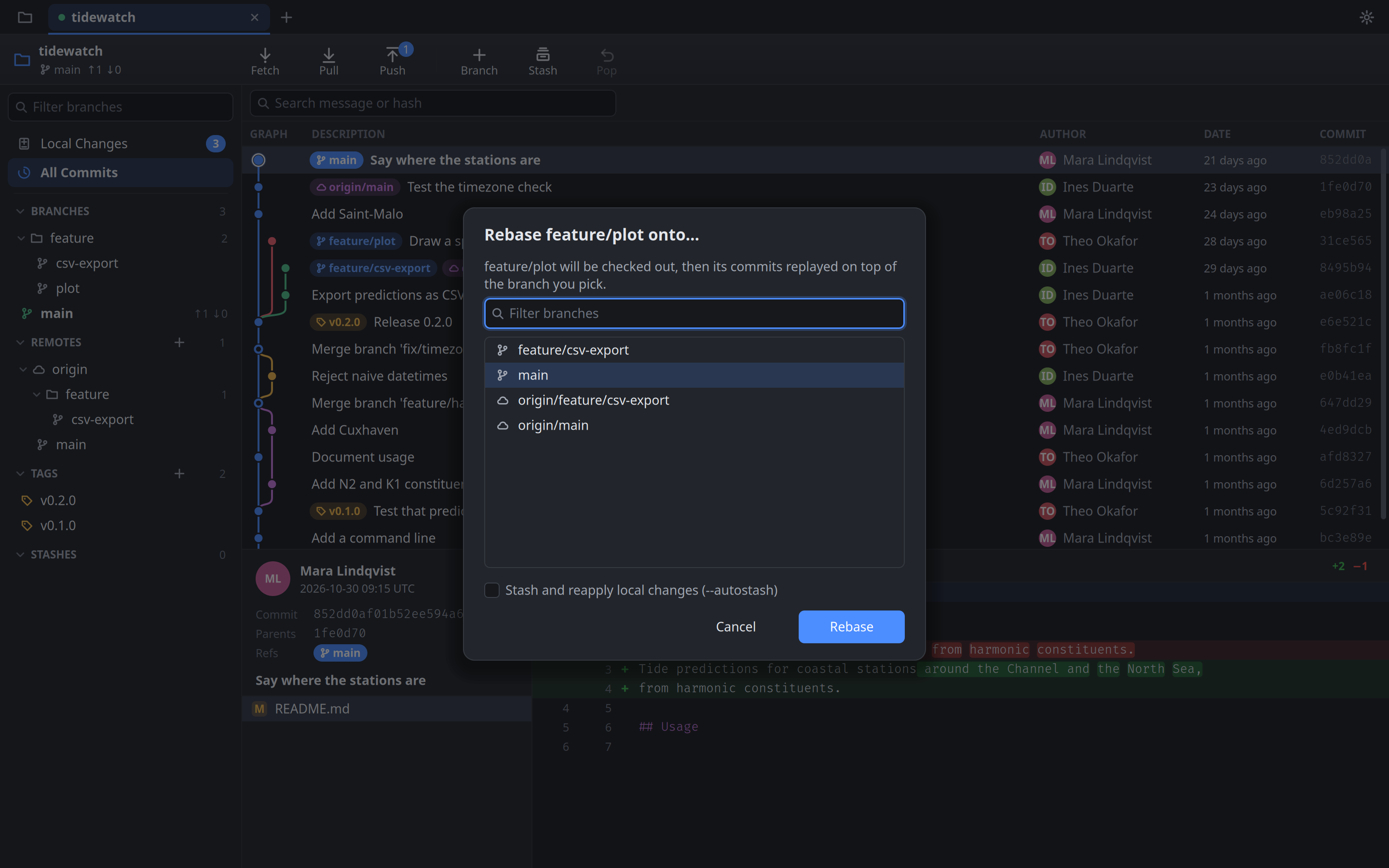
A commit graph with branch lanes, staging down to single lines,
and a three-way merge resolver. Native on Linux, macOS and Windows. It runs
the git you already have, so every repository, hook and setting
works as it does in your terminal.
Features
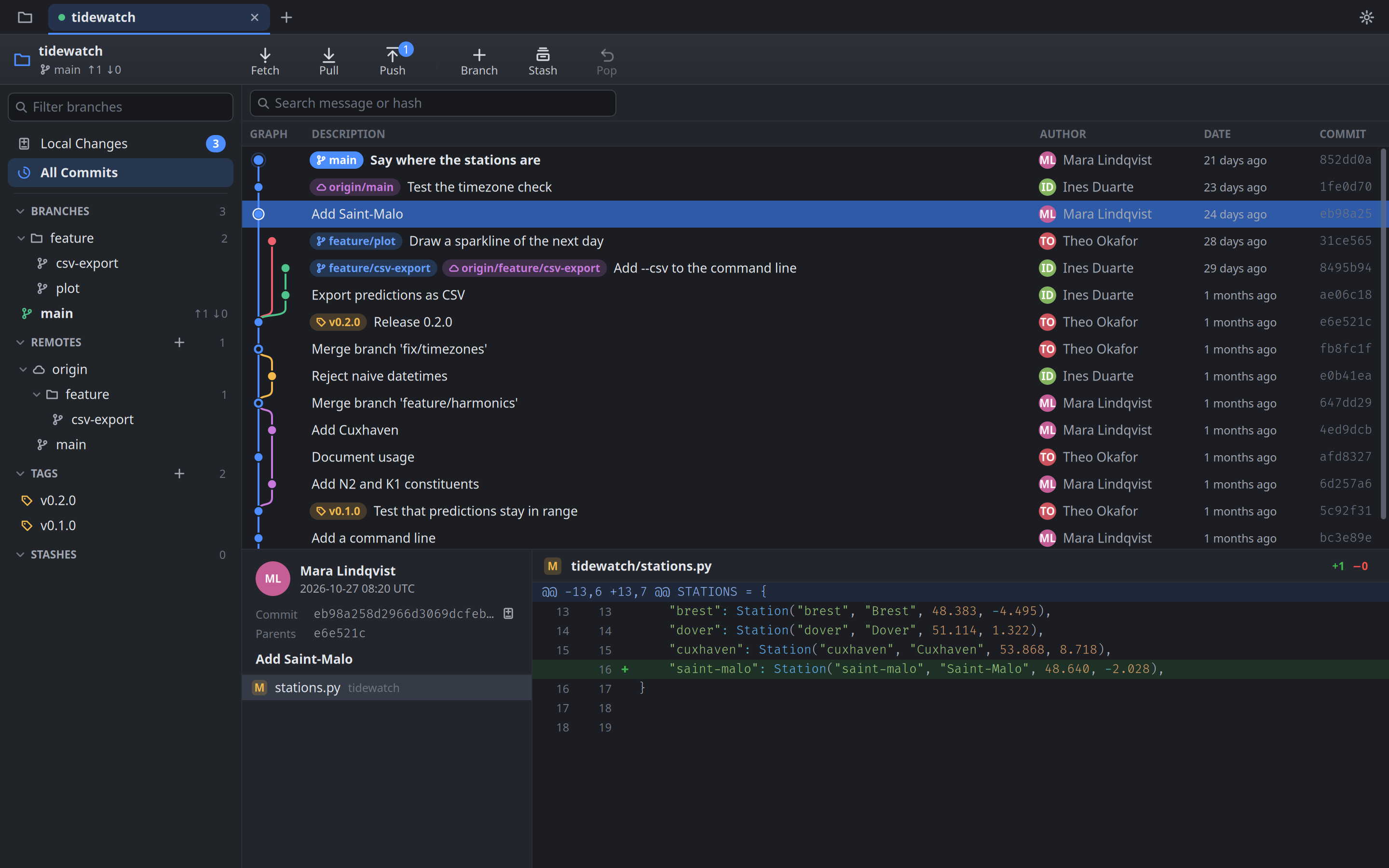
Commit graph
Branch lanes, branch and tag labels, and each commit's details and diff. Search by message or by hash.
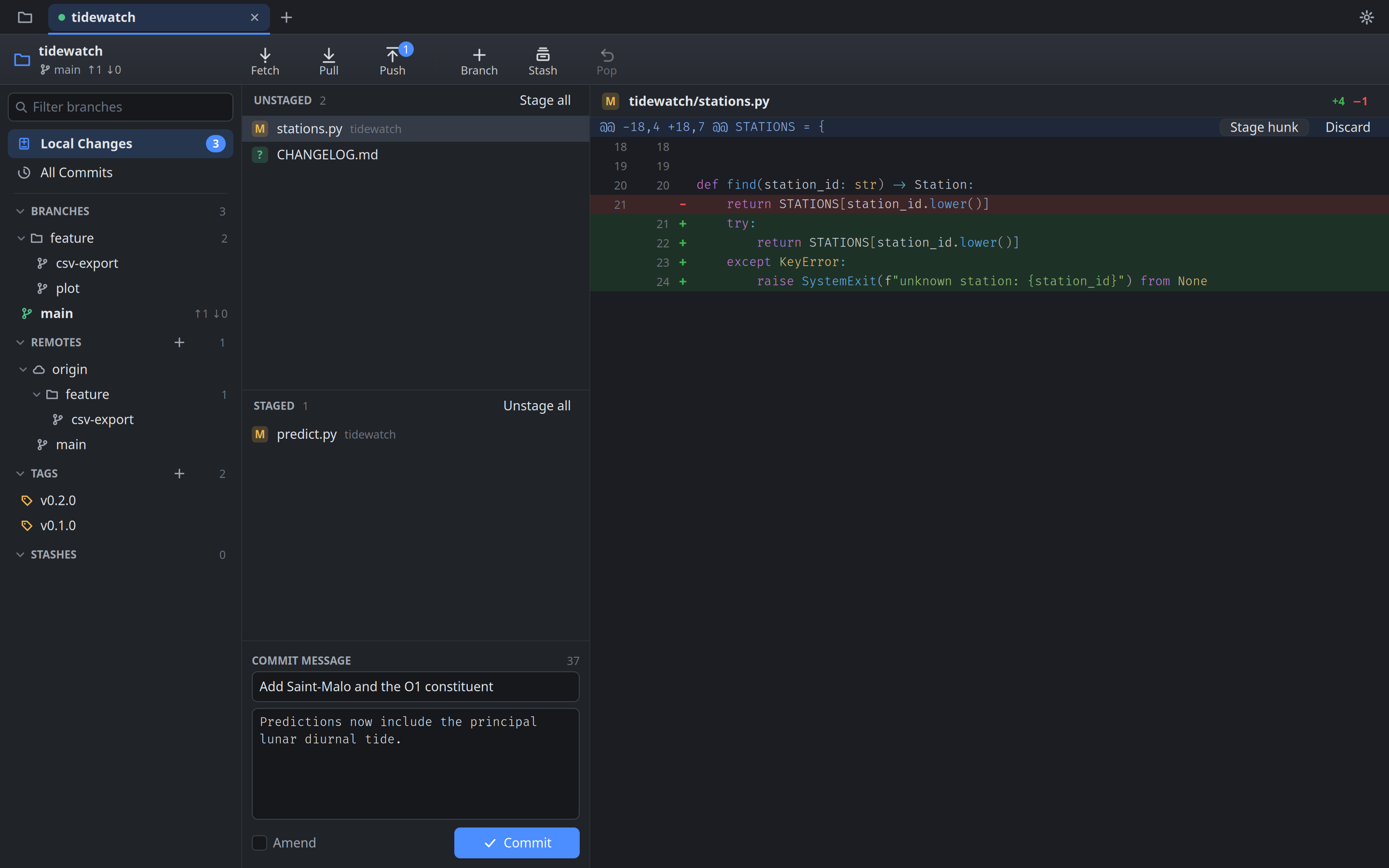
Stage hunks and lines
Stage or unstage whole files, single hunks or single lines. Select many files at once, discard changes, or amend the last commit.
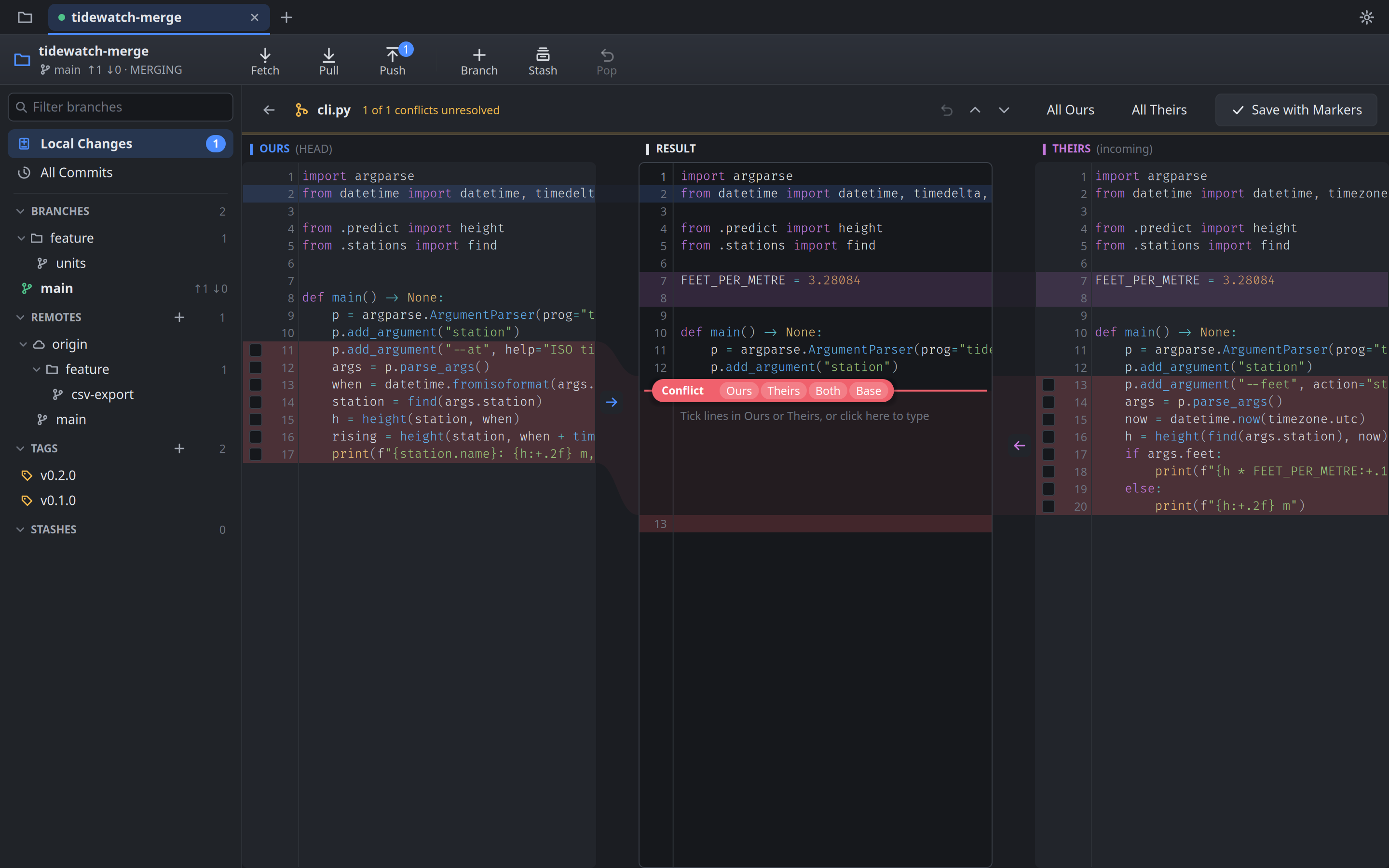
Merge resolver
Ours, Result and Theirs side by side. Tick the lines you want, take a whole side, or type the resolution yourself. Through a rebase it shows which commit and file you are on.
Your merge tool
Prefer Meld, KDiff3, Beyond Compare, P4Merge or Visual Studio Code? Open a conflict there instead. editgit stages the file and moves on to the next one.
Branches and rebase
Branch folders, rebase onto any branch or commit, cherry-pick, revert and reset. Delete a branch here and on its remote together.
Fetch, pull, push
With progress. Pull with rebase or autostash, push with
--force-with-lease, set the upstream on the first push.Tags and stashes
Annotated or lightweight tags, pushed when you say so. Stash and pop from the toolbar.
Tabs and projects
Every repository in its own tab, grouped into projects. Clone or create repositories, and get your tabs back on the next start.
Always current
Commits, checkouts and edits made in a terminal or an editor show up on their own, even in a background tab.
AI drafting
Commit messages from your staged changes, and suggested conflict resolutions. On the Mac with Apple Intelligence, or through the Claude or Codex CLI you already use. The prompts are yours to edit.
Keyboard first
Every action has a shortcut, and every shortcut can be changed. F1 shows them all.
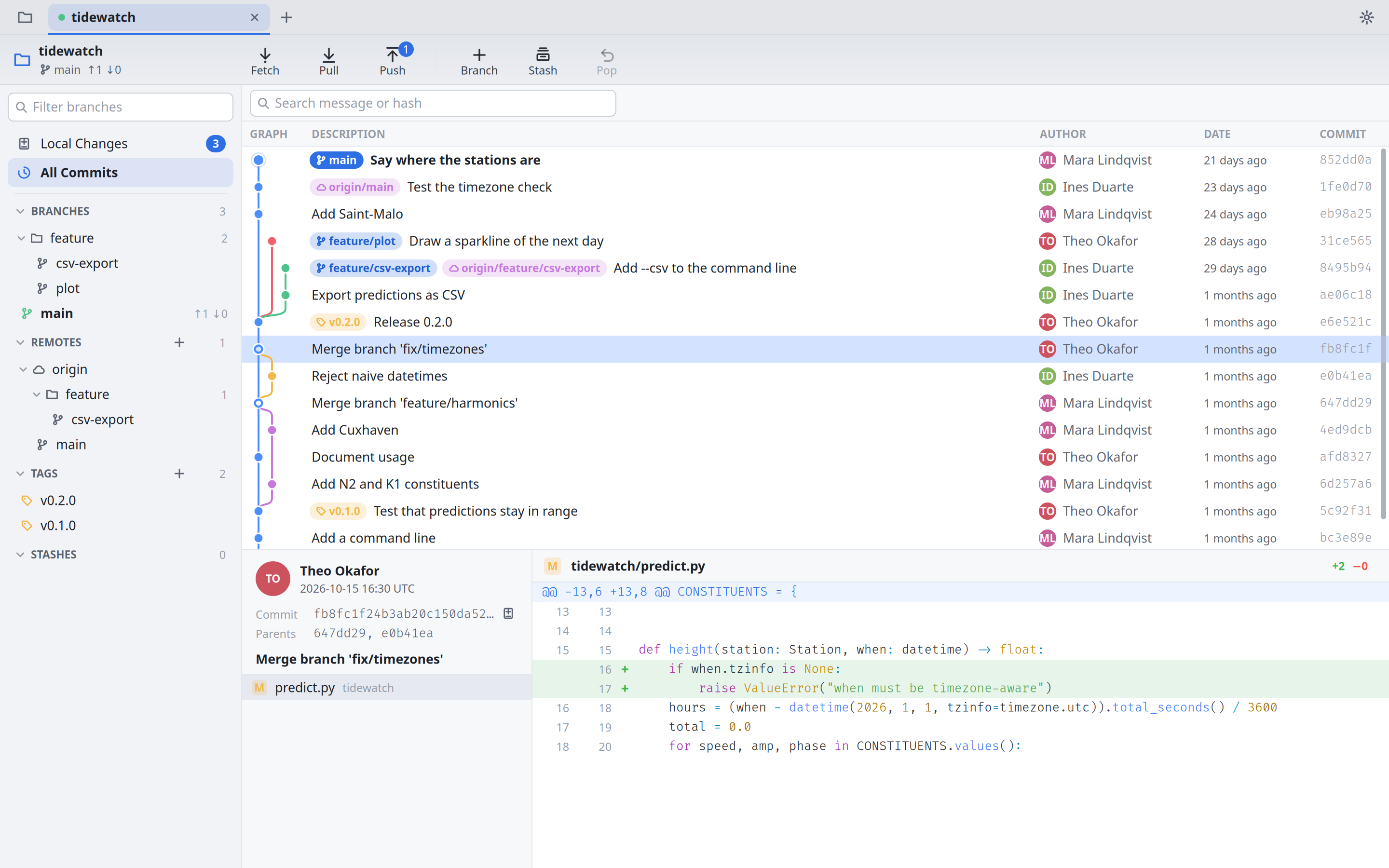
Light and dark
Follows your system, or pick one. Ignore files from Local Changes into
.gitignoreor this clone only.
Download
Linux x86_64
editgit-linux-x86_64.tar.gztar -xzf editgit-linux-x86_64.tar.gz -C ~/.localputseditgiton your PATH and in your app menu. Runs on X11 and Wayland. Needs glibc 2.34 or newer: Ubuntu 22.04, Debian 12, Fedora 35 or later. On Debian and Ubuntu,sudo apt install libxcb-imdkit1 libxcb-util1adds the two libraries desktops often lack.Linux arm64
The same build for 64-bit ARM, installed the same way, with the same requirements.
editgit-linux-arm64.tar.gzmacOS Apple silicon
Open the disk image and drag
editgit-macos-arm64.dmgeditgit.appto Applications. It is signed and notarized by Apple. Needs macOS 11 or later; AI drafting on the Mac itself needs macOS 26 with Apple Intelligence turned on.Windows x64
Run the installer. It installs for your user only, so it needs no administrator rights, and adds editgit to the Start menu. It is code-signed by PAWSM.doo; while the signature is new, SmartScreen may still warn the first time: More info → Run anyway.
editgit-windows-x86_64.msi
editgit runs git, so git must be installed: from your
package manager on Linux, with xcode-select --install or Homebrew on
macOS, and from git-scm.com on
Windows.
Version 0.9.1. SHA-256 checksums.